The books close themselves — almost
AccordPortal's accounting is not a bolt-on. Every rent charge, receipt, vendor bill, payment and bank fee is a balanced double-entry transaction on one general ledger, carrying the property, unit, lease, tenant and vendor it belongs to.
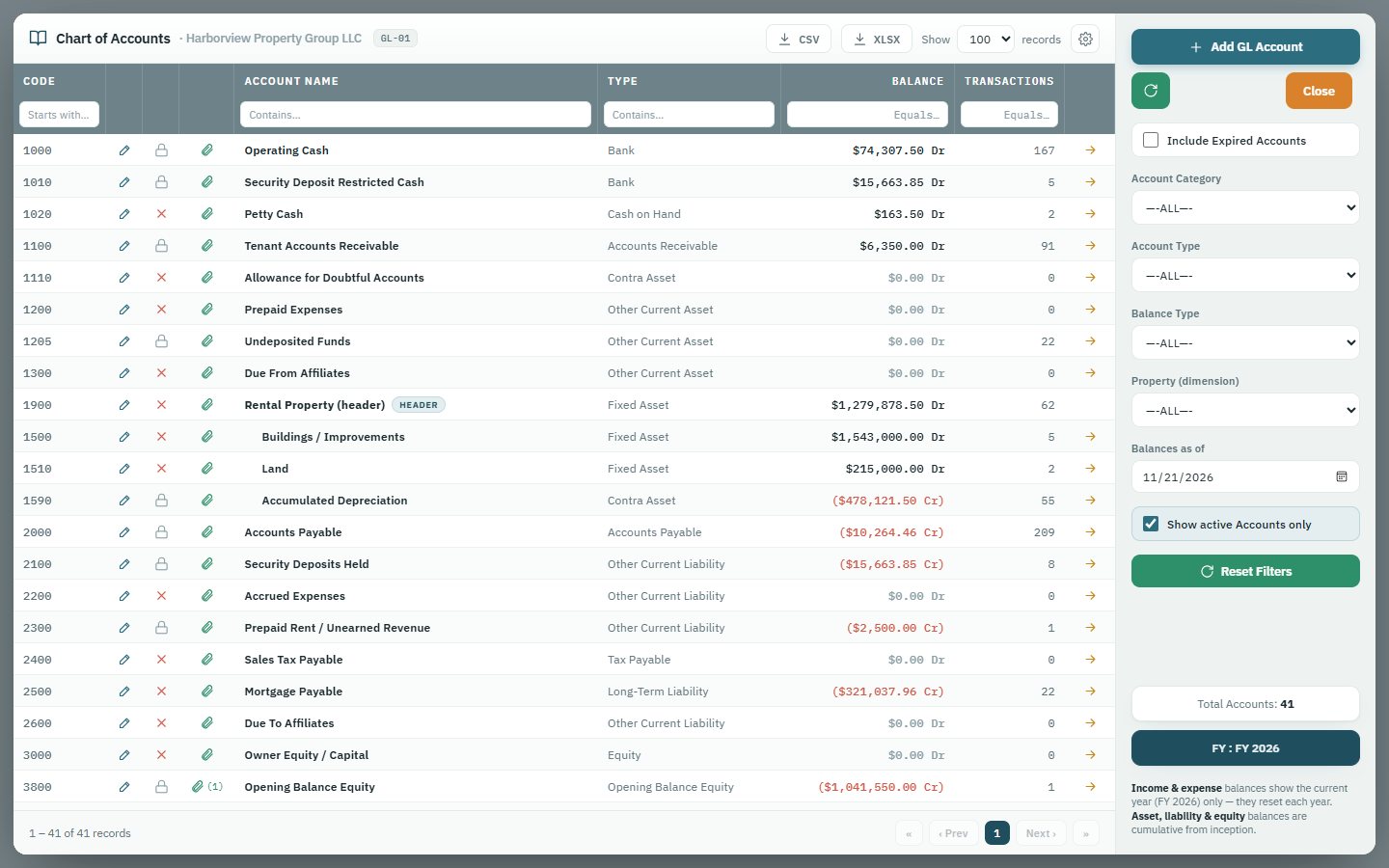
A chart of accounts that enforces your rules
Accounts are organized by category and type with headers for sub-totals, normal balances, reporting groups and cash-flow sections. Each account can require, allow or forbid each dimension — so rental income always carries a property, and the tenant receivable always names the tenant.
- Dimension rules per account: property, unit, lease, tenant, vendor, cost center, project, asset
- Accounts with postings keep their code; they are disabled, never deleted
- System accounts the posting engine relies on are protected
- Restricted / trust cash flagged for security deposits
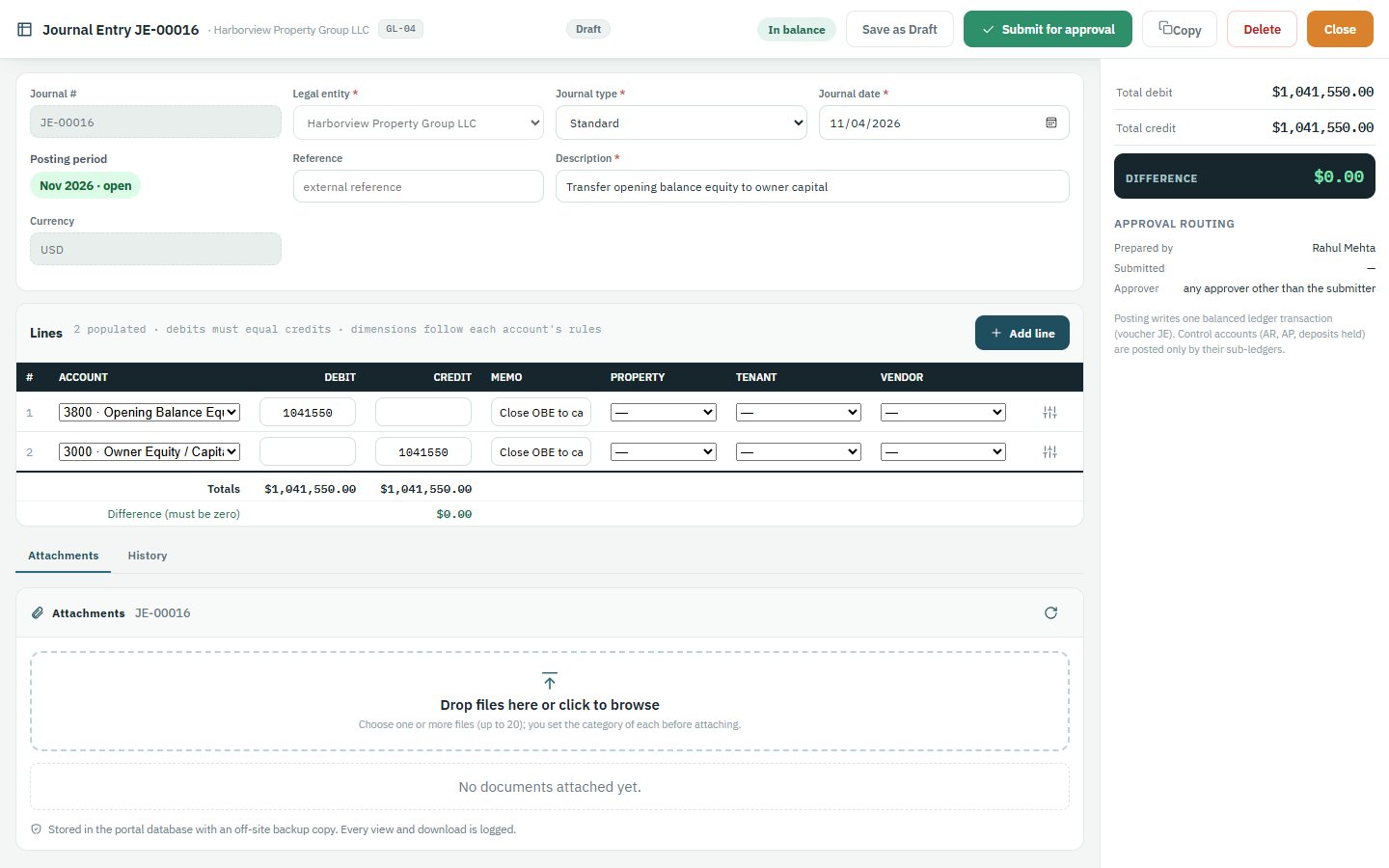
Journals, recurring entries and allocations
Journal entries are drafted, submitted, approved and posted with attachments. Accruals reverse themselves on the date you pick. Recurring journals generate on schedule; allocation rules spread shared costs across properties by fixed percentage, rentable area, unit count or revenue — monthly, quarterly, annually or on demand.
- Posted entries are immutable — corrections are reversals that reference the original
- Every transaction balances, and balances per legal entity for intercompany entries
- Opening balances entered in one screen when you go live
- Depreciation run posts the month's depreciation for every asset in one step
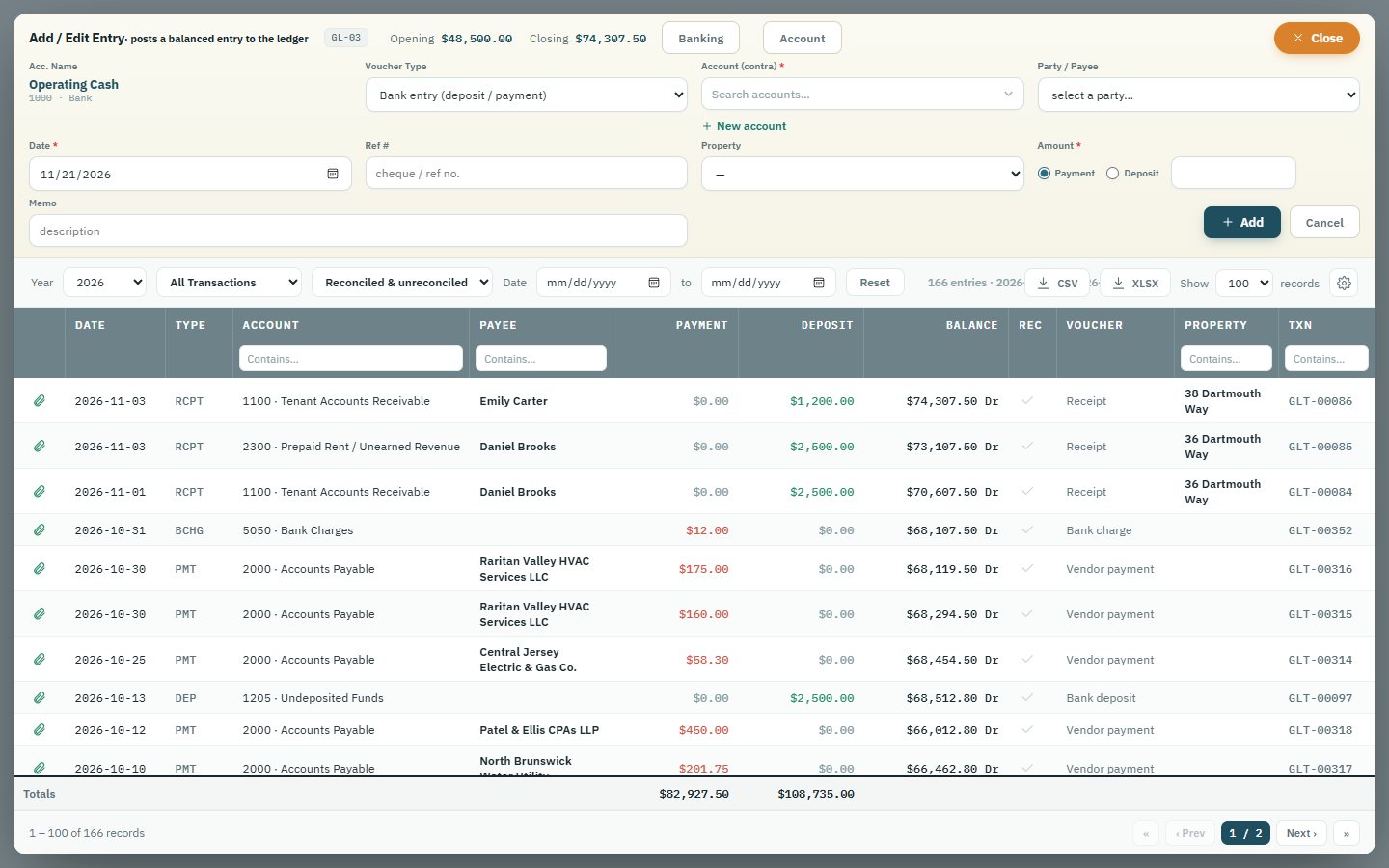
Account register with quick entry
Bank, cash and card accounts have a checkbook-style register: enter a payment or deposit with its contra account, payee and property in one line. A deposit to a rent income account is recorded as a proper tenant receipt, applied to the tenant's oldest open charges — so rent is never counted twice.
- Running balance, reconciled flags and attachments on every line
- Configurable columns: show property, memo, voucher, payee — your choice
- Filters by year, voucher type, reconciled status and dates
Fiscal years & periods
Open, close and lock periods per entity; year-end close posts retained earnings.
System account setup
28 posting purposes mapped to accounts, with entity and property overrides.
Transaction list
Every posted transaction, searchable, with reversal in one click and full drill-down.
Consolidation
Consolidated trial balance, balance sheet and income statement with intercompany eliminations.
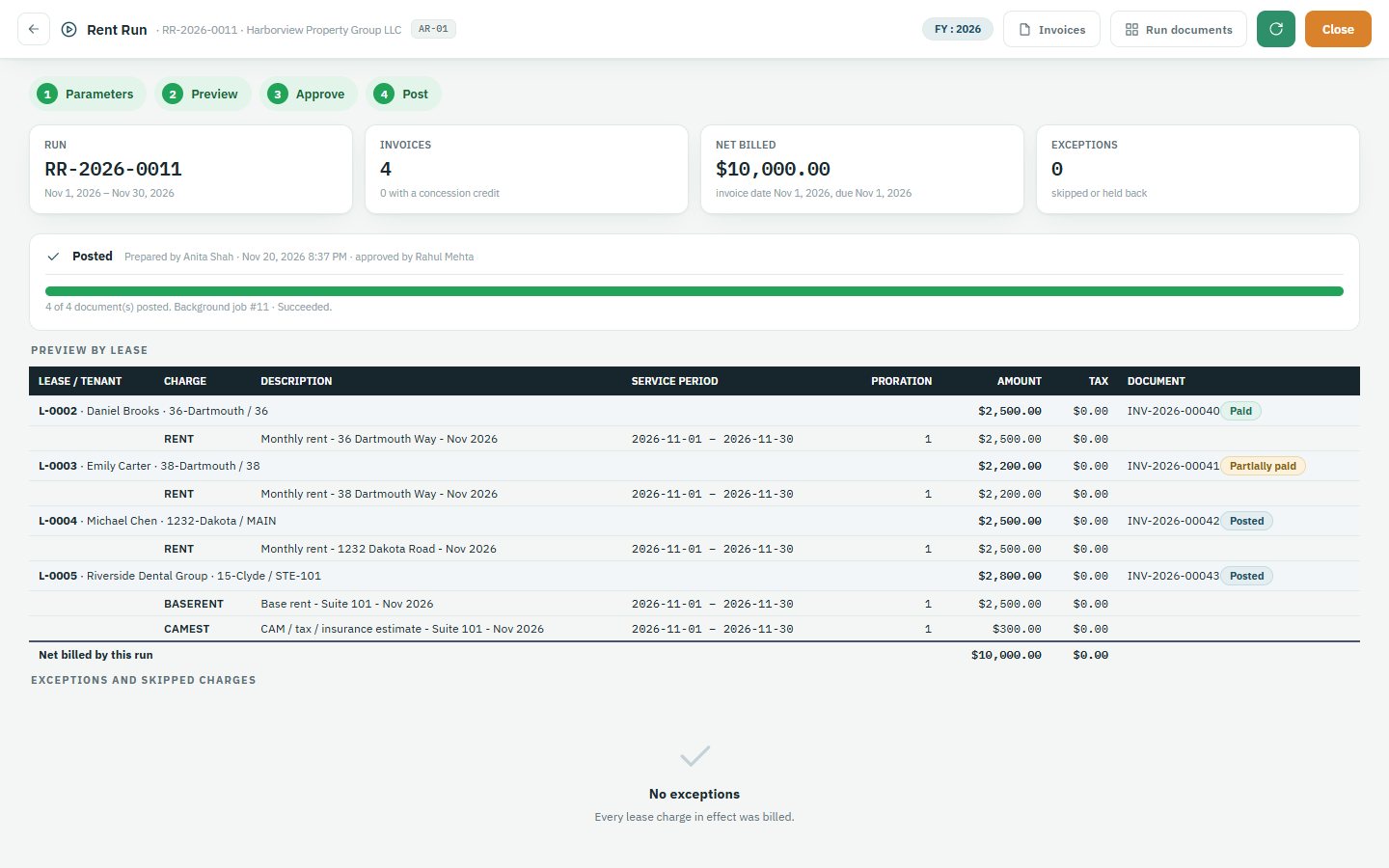
Parameters, preview, approve, post
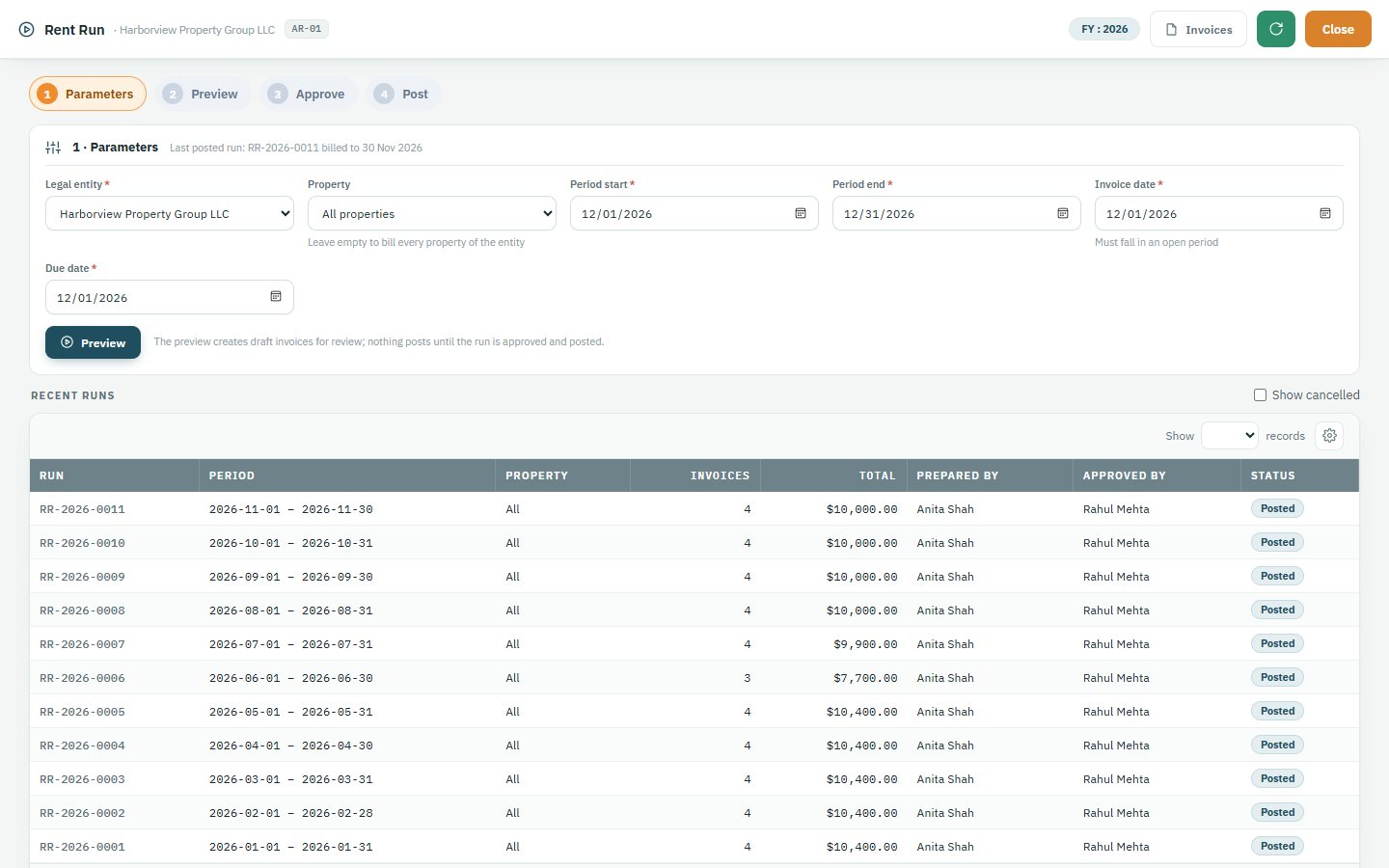
Choose the legal entity, a property or all of them, the billing period, invoice date and due date. The preview creates draft invoices and lists every charge by lease with proration and concessions, plus every exception it held back and why.
- Approval by a person with the approve permission — optionally a second person
- Posting writes one balanced transaction per invoice, with a progress bar
- Duplicate billing is impossible: the same charge and period can only be billed once
- Cancel an unposted run to release its charges; delete a cancelled run if it was a mistake
- Recent runs list with preparer, approver and status
Collect every dollar, explain every balance
Invoices & credit memos
Manual invoices for one-off charges, credit memos for adjustments and concessions, voids with reasons. Invoices carry service periods, tax and the lease charge they came from.
Receipts & allocation
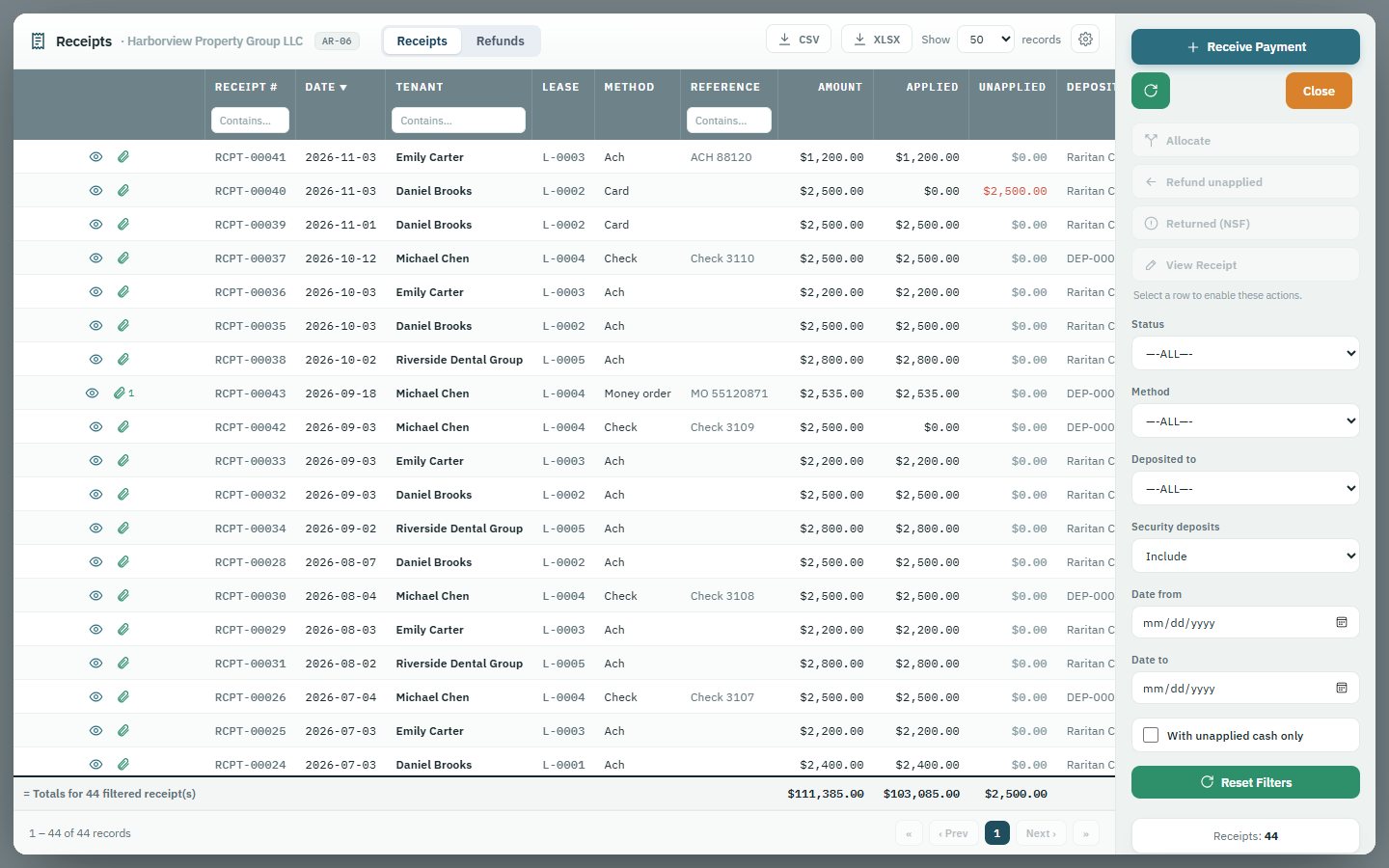
Record checks, cash, money orders, wires, ACH and card payments; allocate to open charges oldest-first, by priority, or by hand. Overpayments become prepaid rent.
Returns & refunds
Returned payments reverse the receipt and can bill an NSF fee; refunds of credits and deposits are approved and paid out.
Late fees
The late-fee review lists who is past grace, calculates flat, percentage or daily fees with caps from each lease, and lets you assess or waive with a reason.
Collections
A collections queue by age and balance with actions — e-mail and SMS reminders, calls, letters, payment plans, referrals and notes — and their outcomes on the tenant's history.
Write-offs
Uncollectible balances are written off to bad debt or the allowance — with approval by someone other than the requester.
Tenant statements and ledgers
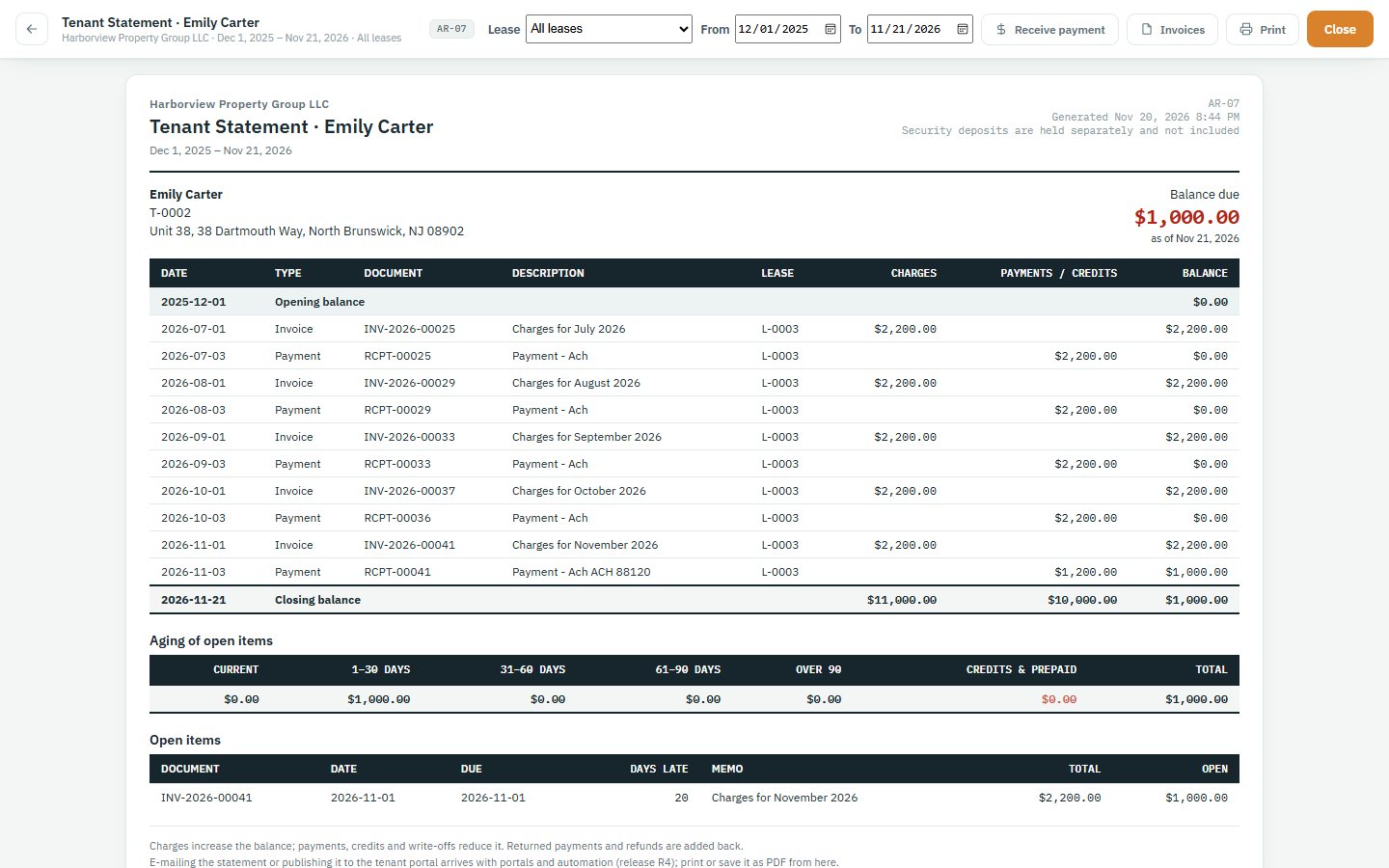
A tenant's statement shows every charge and payment with a running balance and aging, ready to print or send. Charge codes define what each charge is, its income account, tax treatment and priority for payment allocation.
Invoice detail
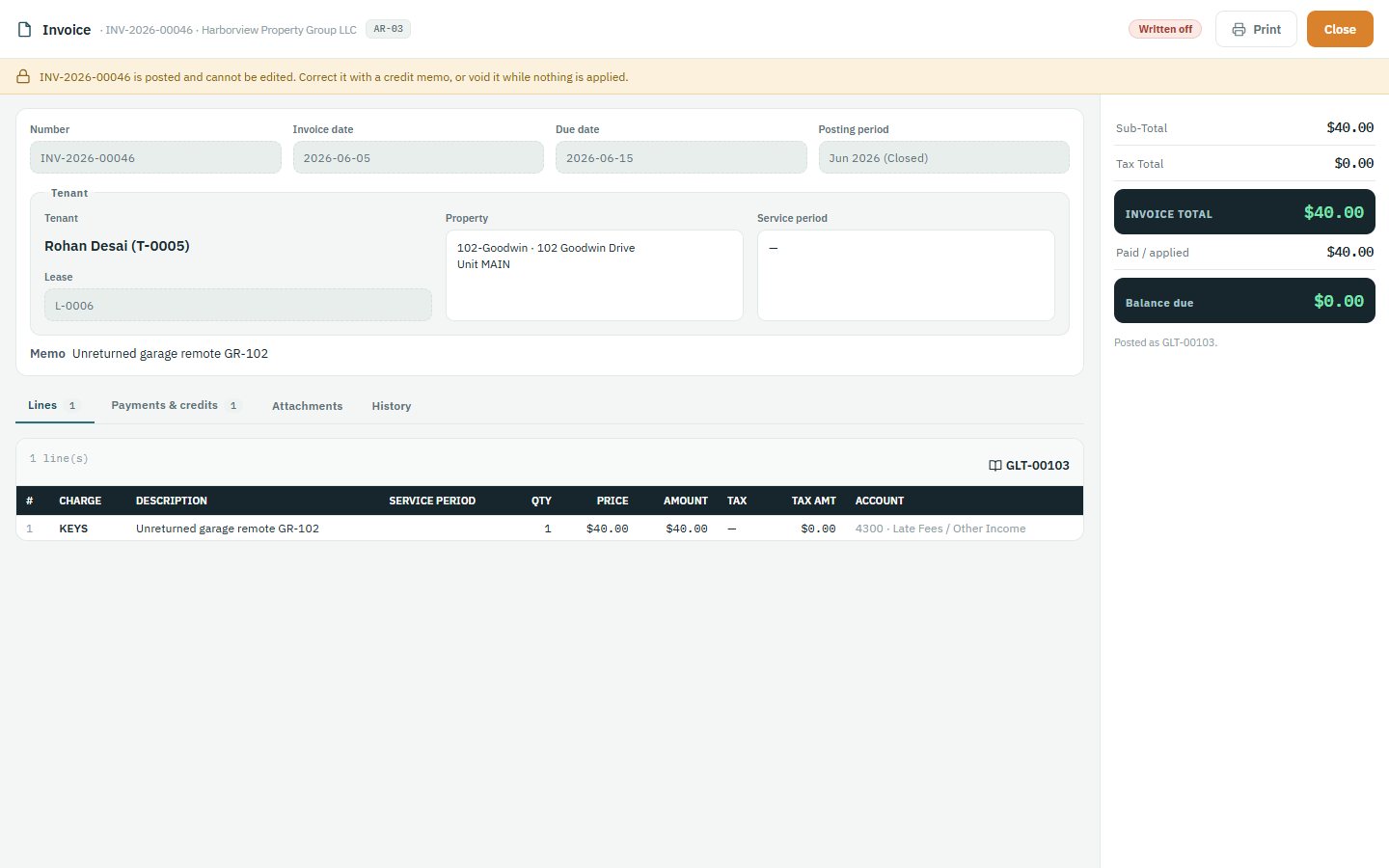
Lines with service periods, proration and tax; allocations and credits applied; the ledger transaction behind it; attachments and history — all on one page.
Rent paid online, posted automatically
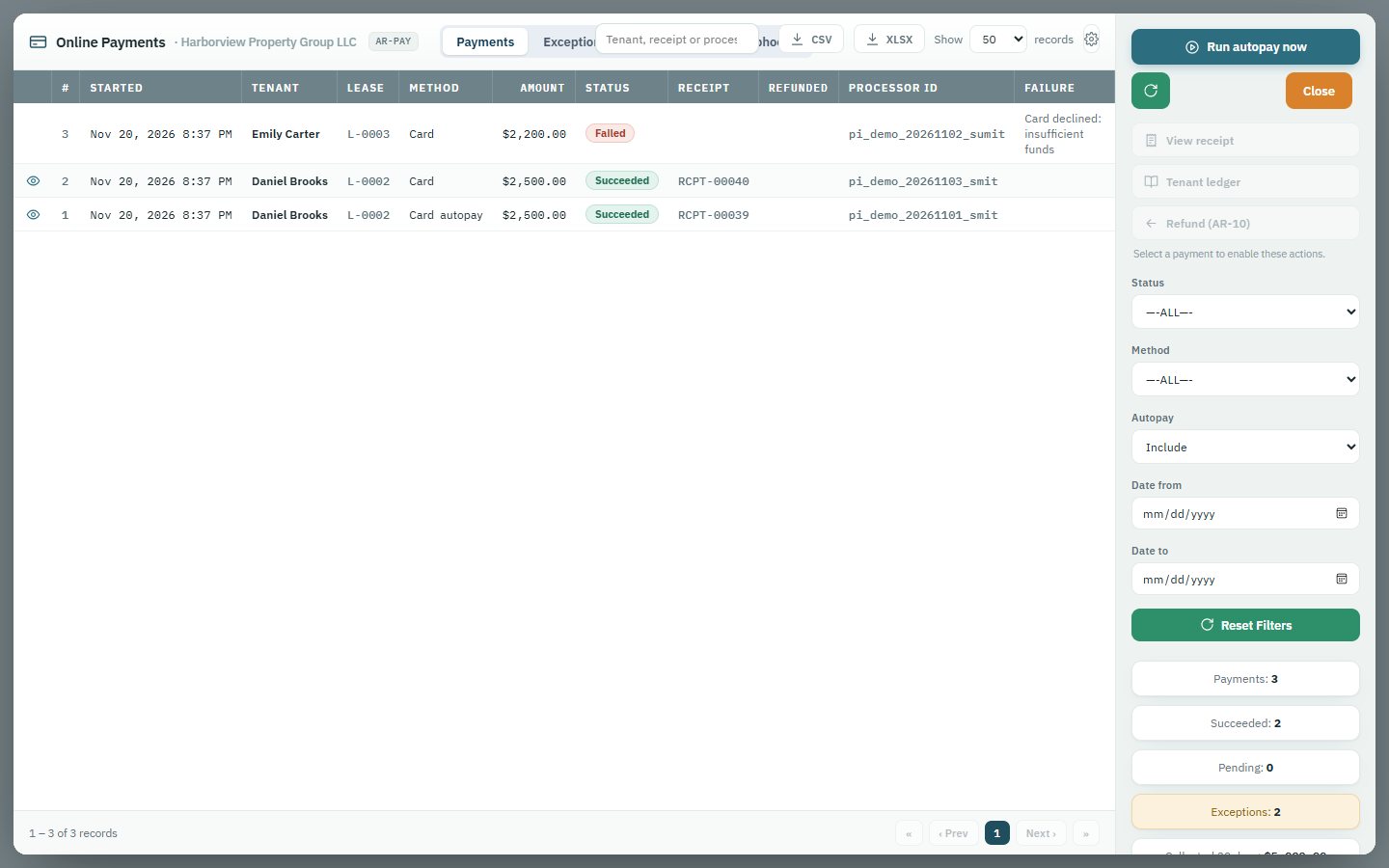
Tenants pay through a hosted payment page by card or bank account, or turn on autopay. Payments flow into your own merchant account — money never passes through us — and come back as receipts applied to the right charges, confirmed by signed webhooks.
- Saved payment methods and autopay with reminders before each charge
- Settlement, failure and return events handled automatically
- Configurable overpayment limit and returned-payment fee
- Each company connects its own processor; keys are stored encrypted
From purchase order to paid check
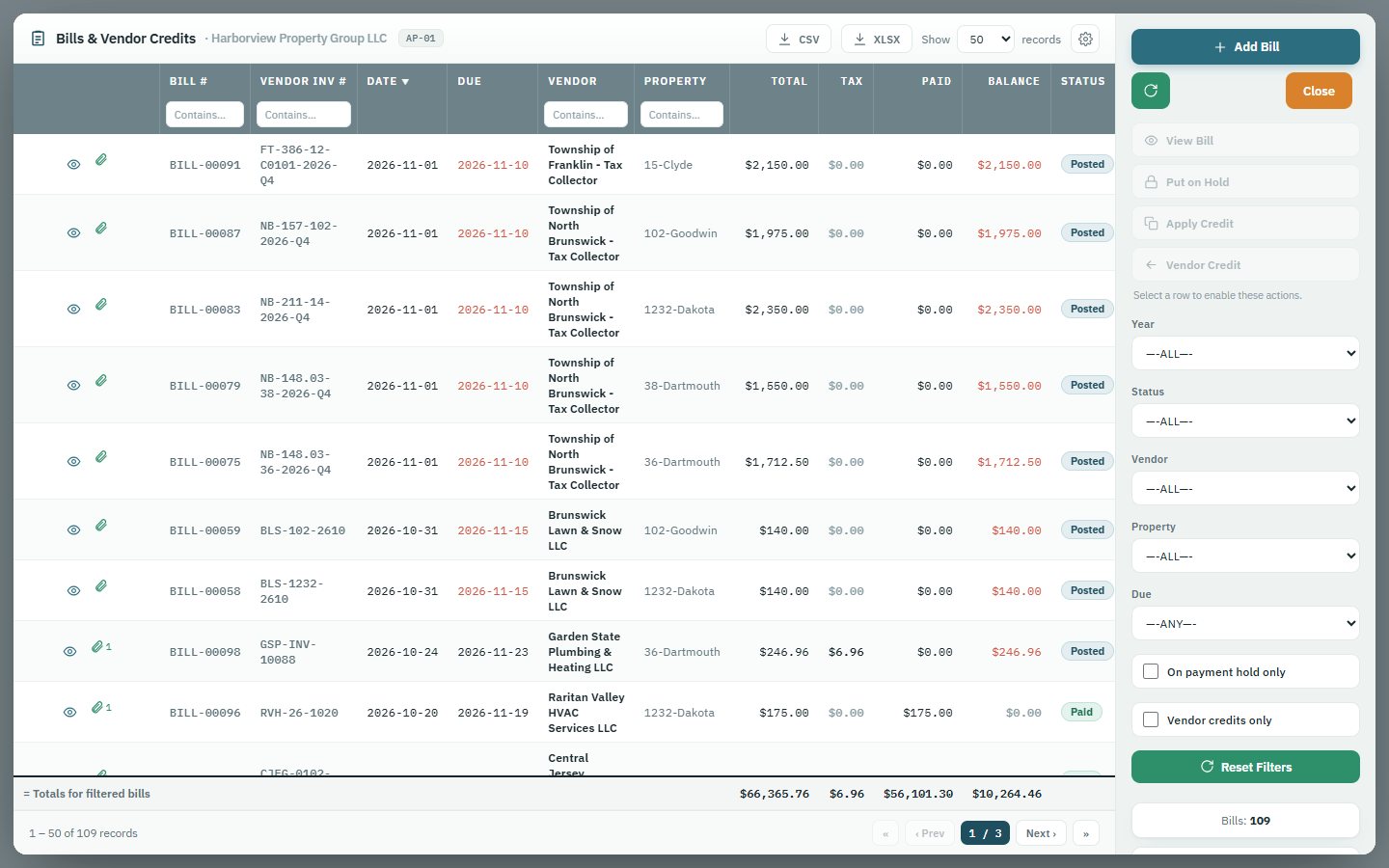
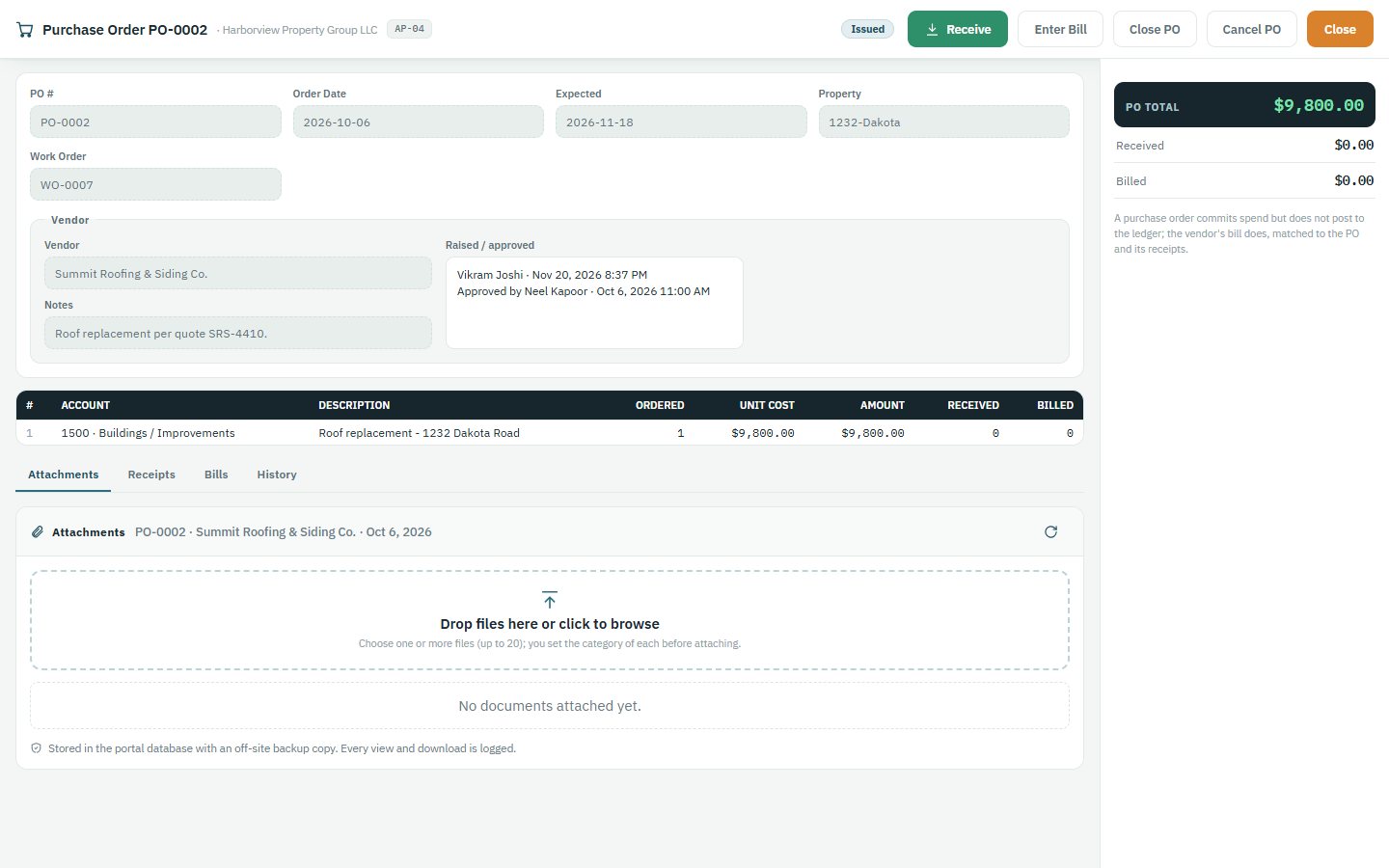
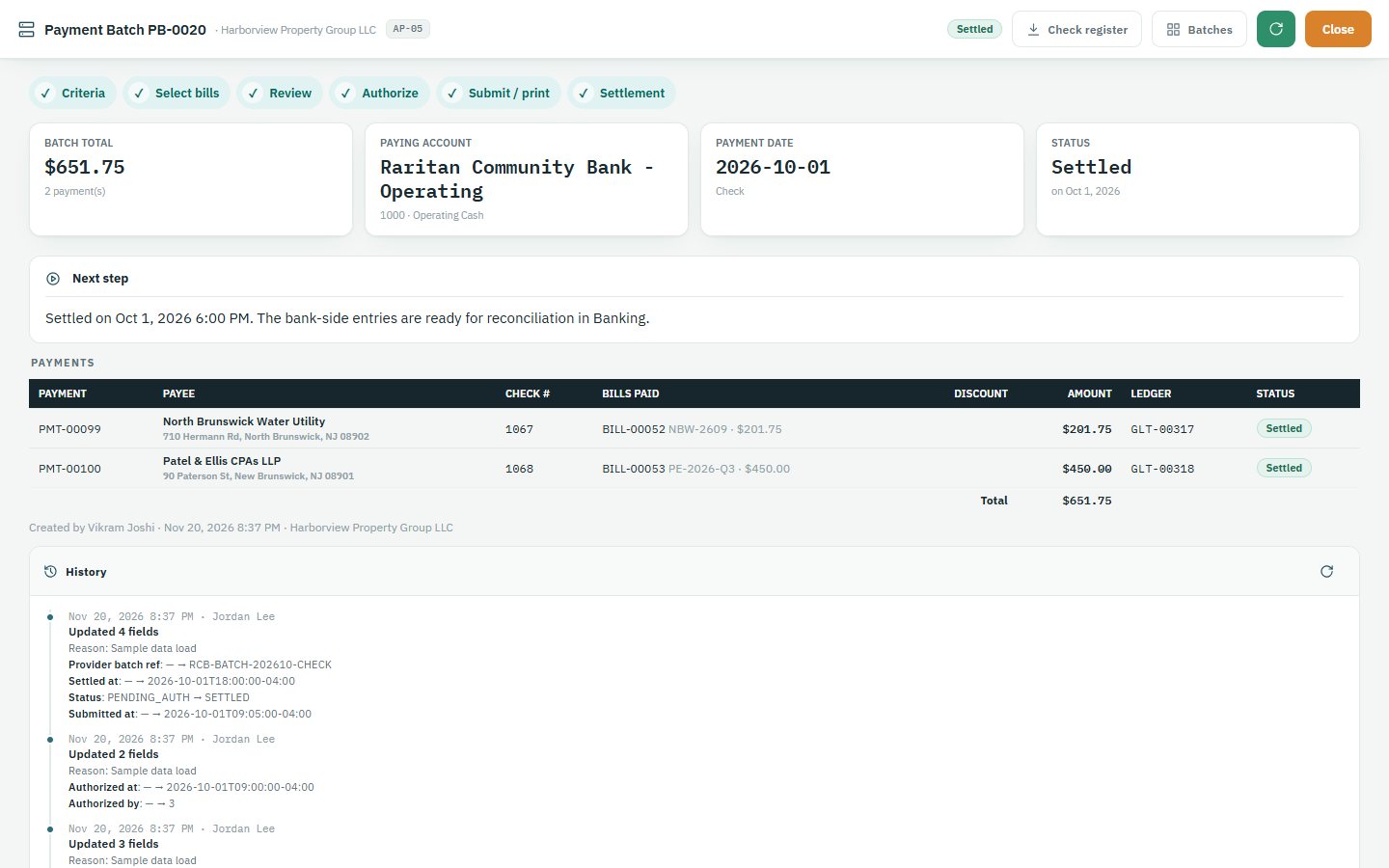
Raise purchase orders, receive goods and services, and match bills against them. Bills are allocated to property, unit, asset or project, routed for approval by amount and entity through your approval matrix, and paid in batches by check or ACH.
- Segregation of duties: above a threshold, the person who entered a bill cannot approve or pay it
- Vendor credits applied to open bills
- Payment batches with check numbering and settlement confirmation
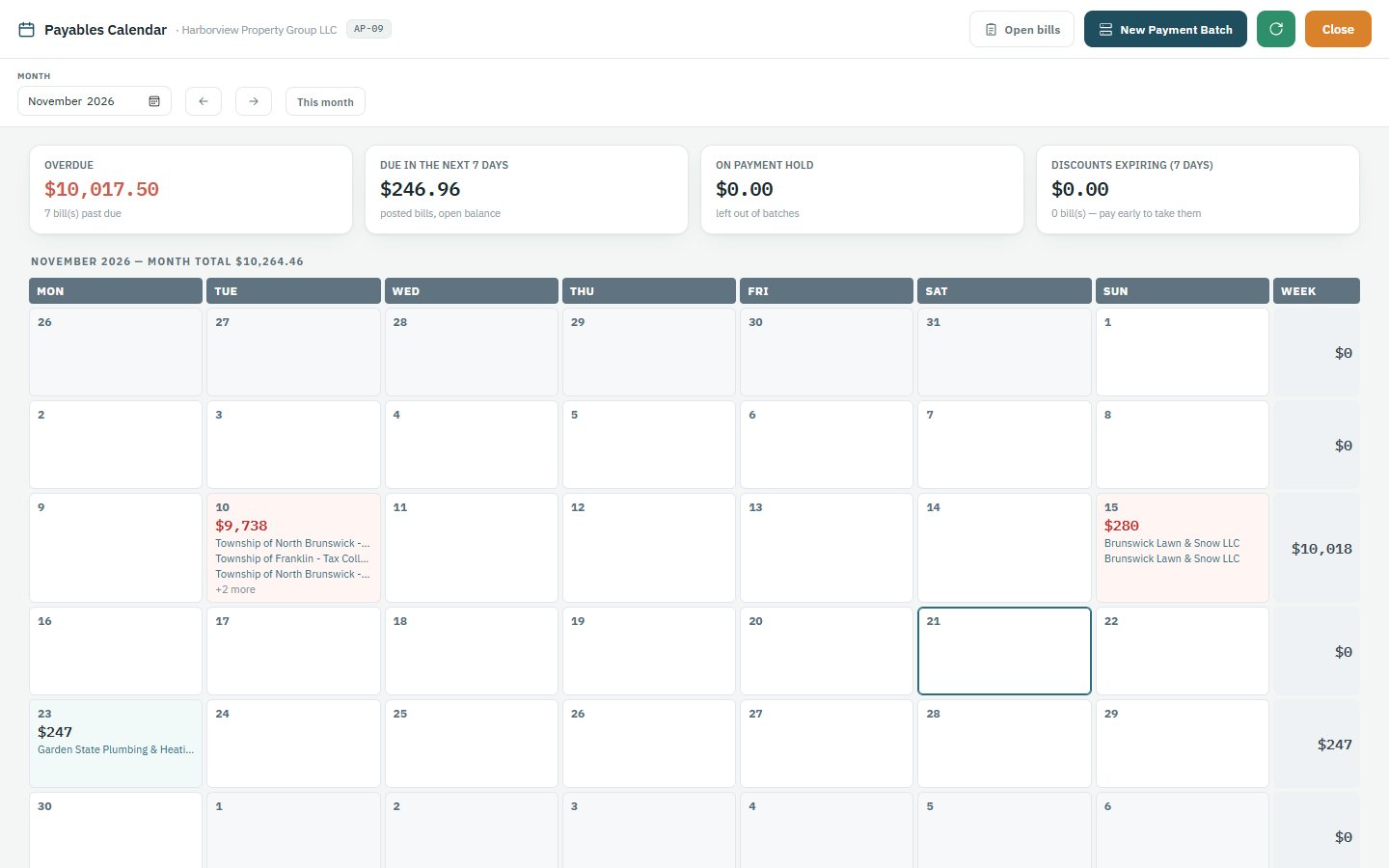
- Payables calendar of what is due when, with cash needed per day
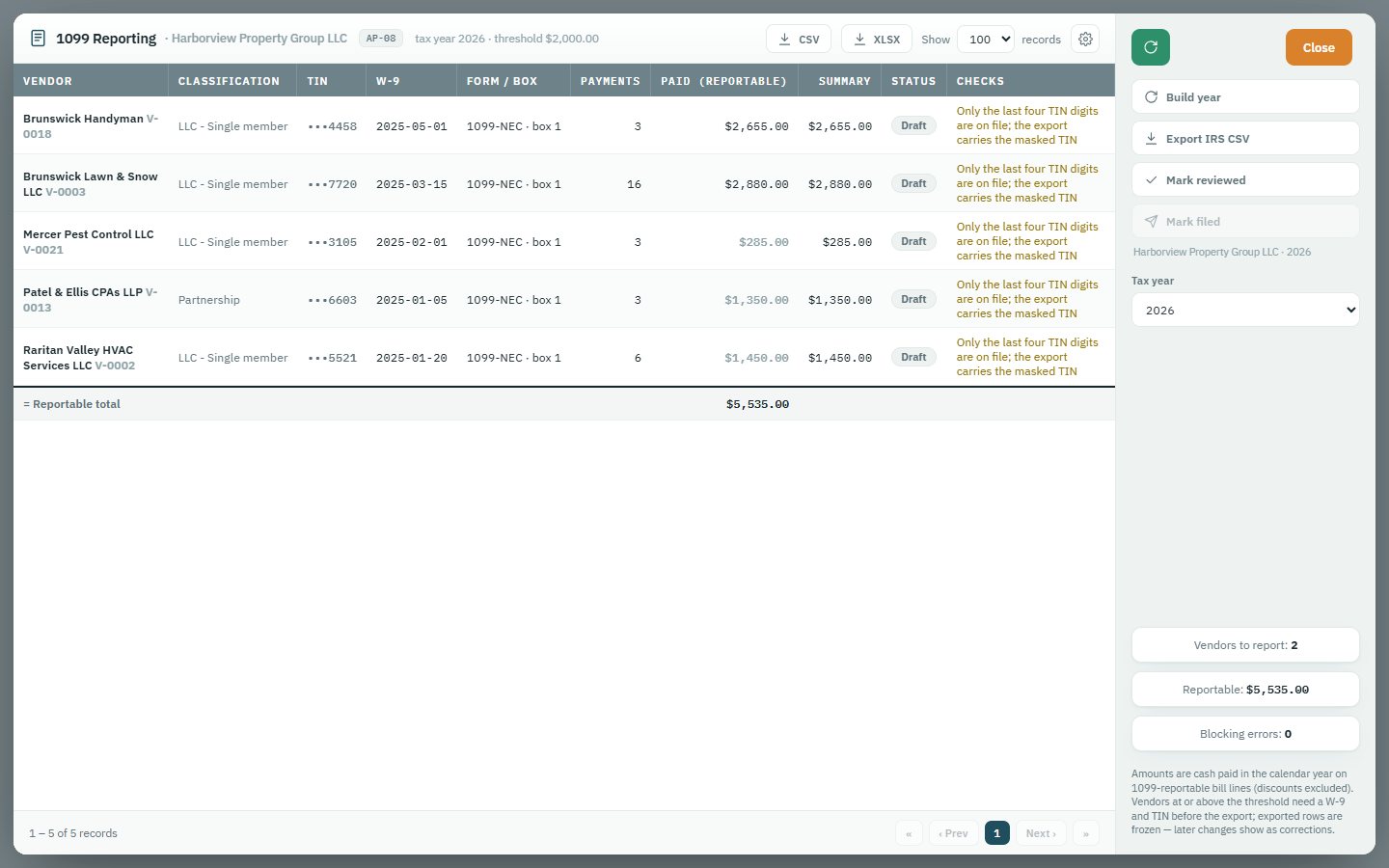
- 1099 reporting with thresholds and vendor tax ids stored encrypted
- Vendor invoices submitted through the vendor portal arrive as draft bills
Reconcile in minutes, not afternoons
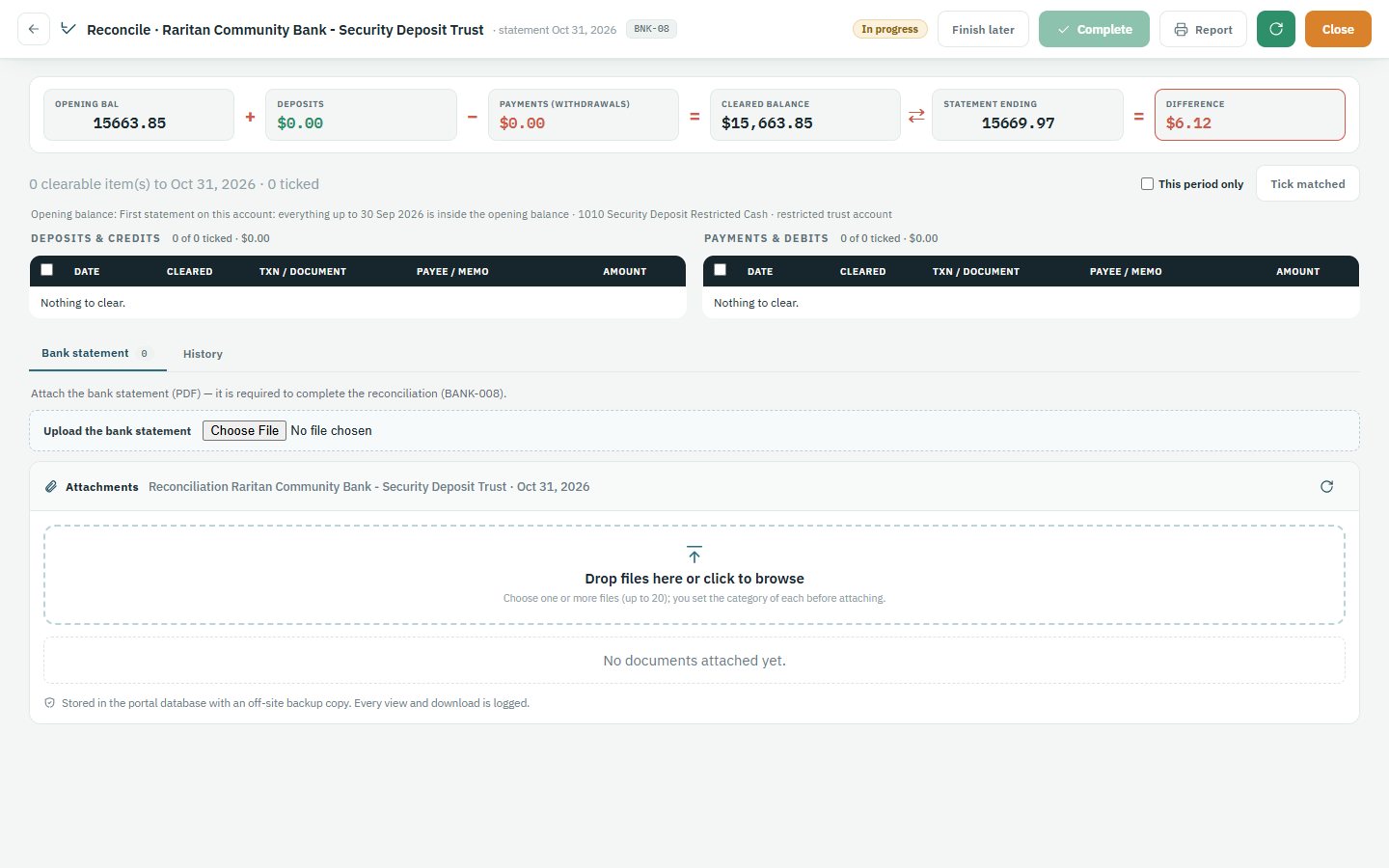
Each bank account is linked to its ledger account. Import statements using formats you define for your banks, let classification rules suggest the account for recurring items, match statement lines to ledger entries in the matching workspace, and finish the reconciliation with a printable report.
- Deposits group receipts into the bank deposit that actually hit the account
- Restricted accounts visible only to their authorized users
- Reconciliation sign-off by a reviewer other than the preparer
- Unreconciled items carried forward automatically
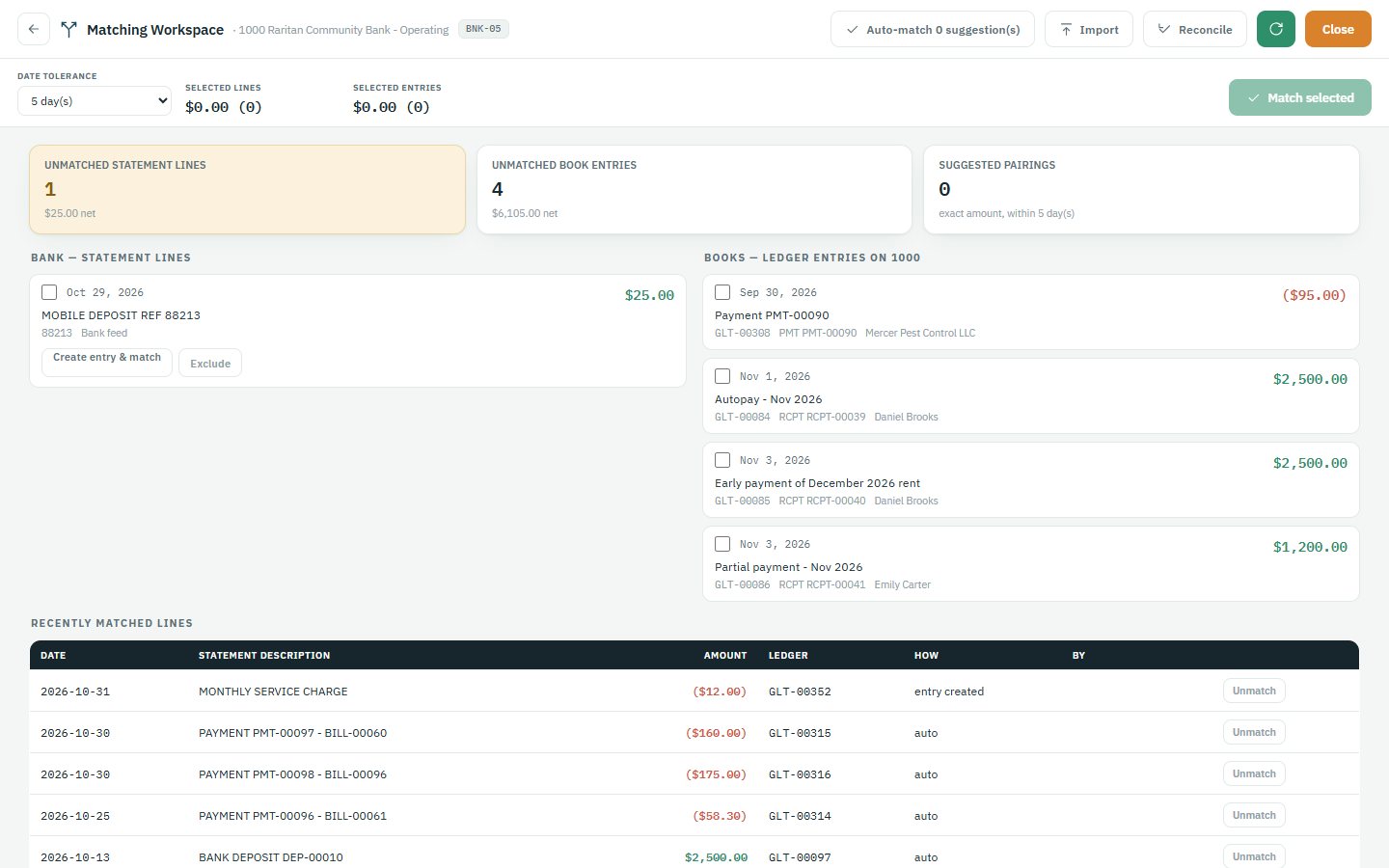
Matching workspace
Statement lines on one side, ledger entries on the other, suggestions in between. Create the missing entry — a bank fee, an interest credit — right from the statement line.
Common-area charges, estimated and trued up
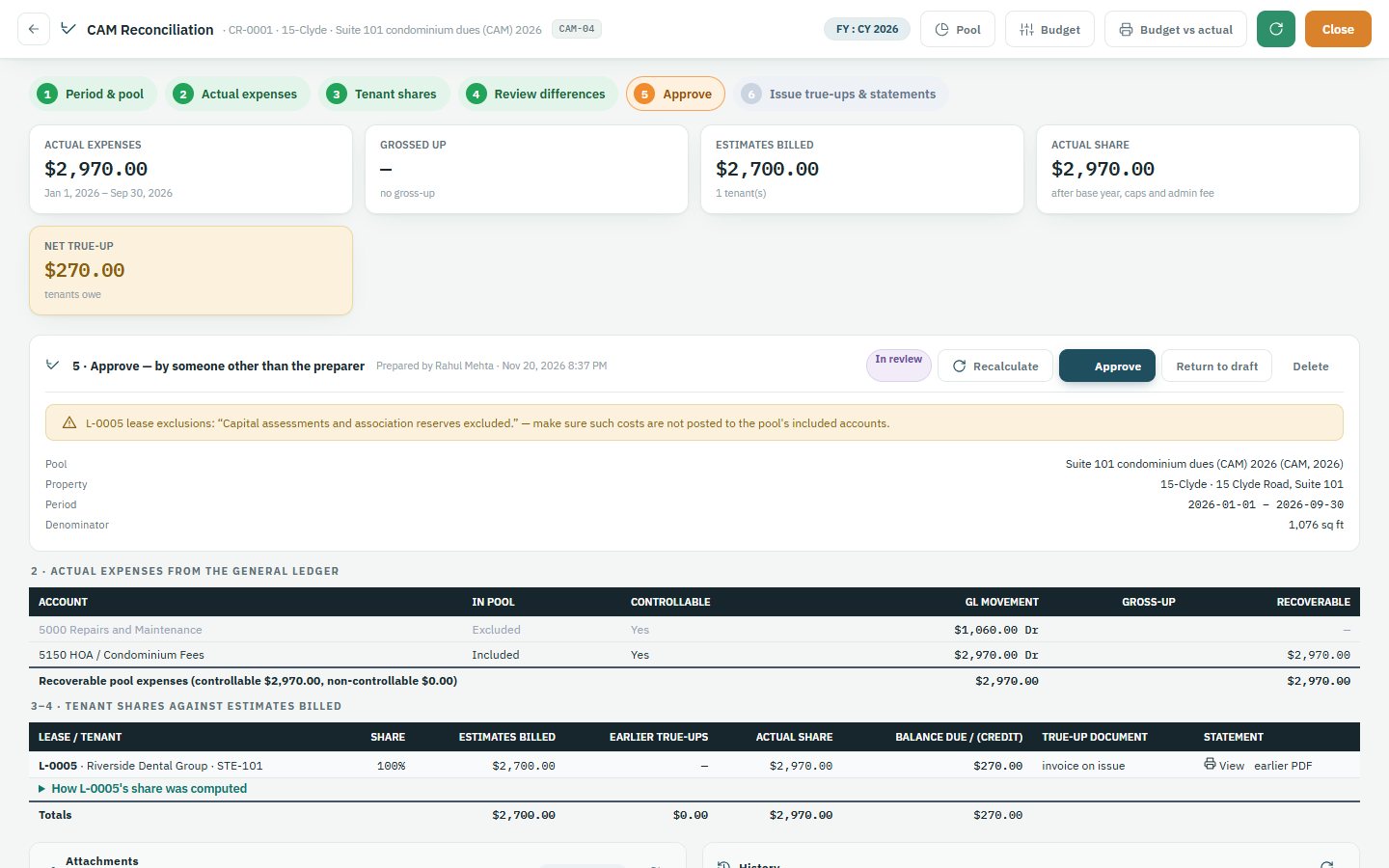
Define recovery pools per property — CAM, real-estate tax, insurance, utilities — with the expense accounts they include or exclude, and each tenant's share pro-rata by area or as a fixed percentage. Budget the year, bill monthly estimates in the rent run, then reconcile actuals against estimates and issue tenant statements with the balance due or credit.
- Base year and base-year amount, cumulative, non-cumulative or fixed-amount caps, admin fee and exclusions per lease
- Reconciliation workbench with approval by someone other than the preparer
- CAM budget vs actual and tenant CAM statements
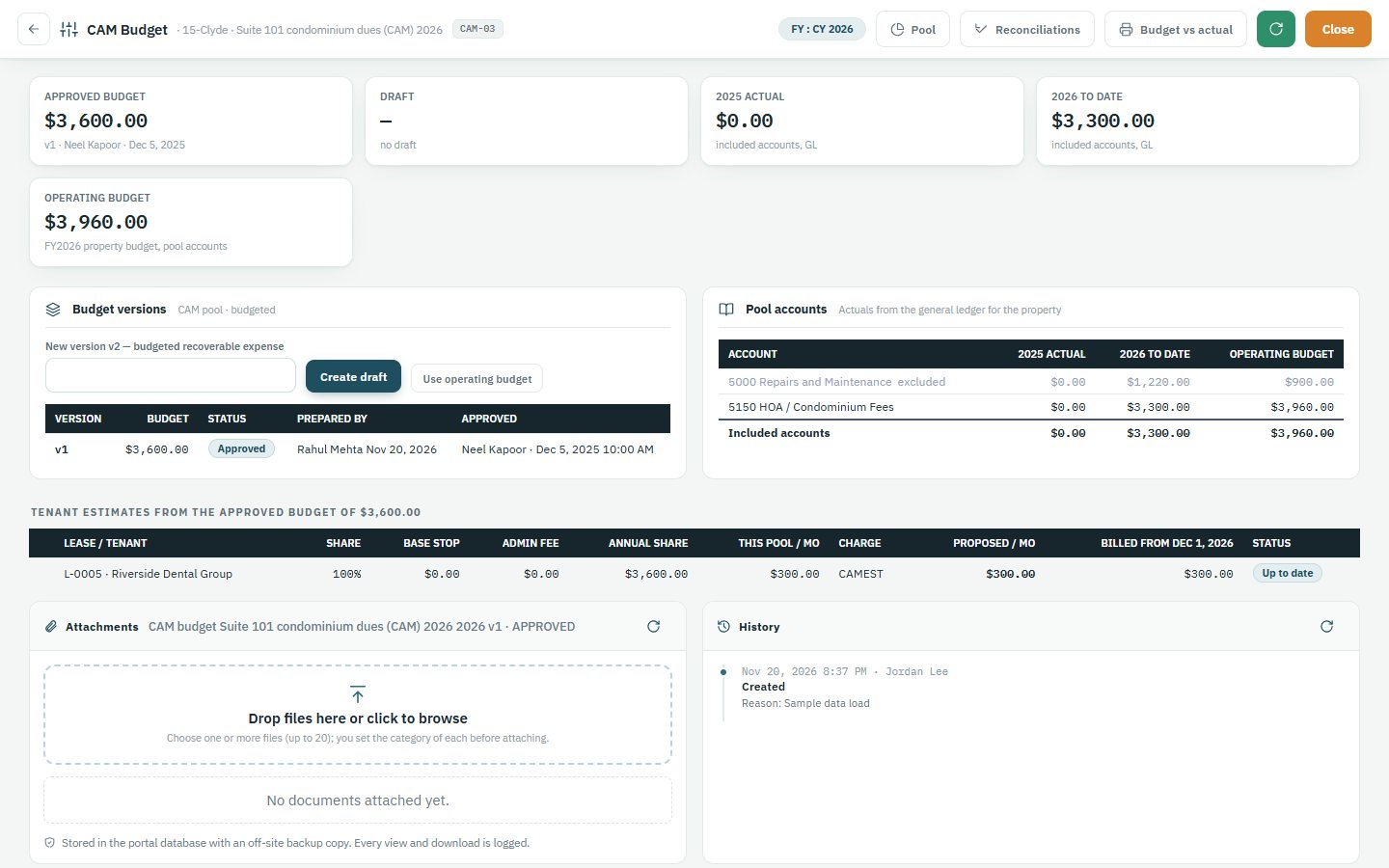
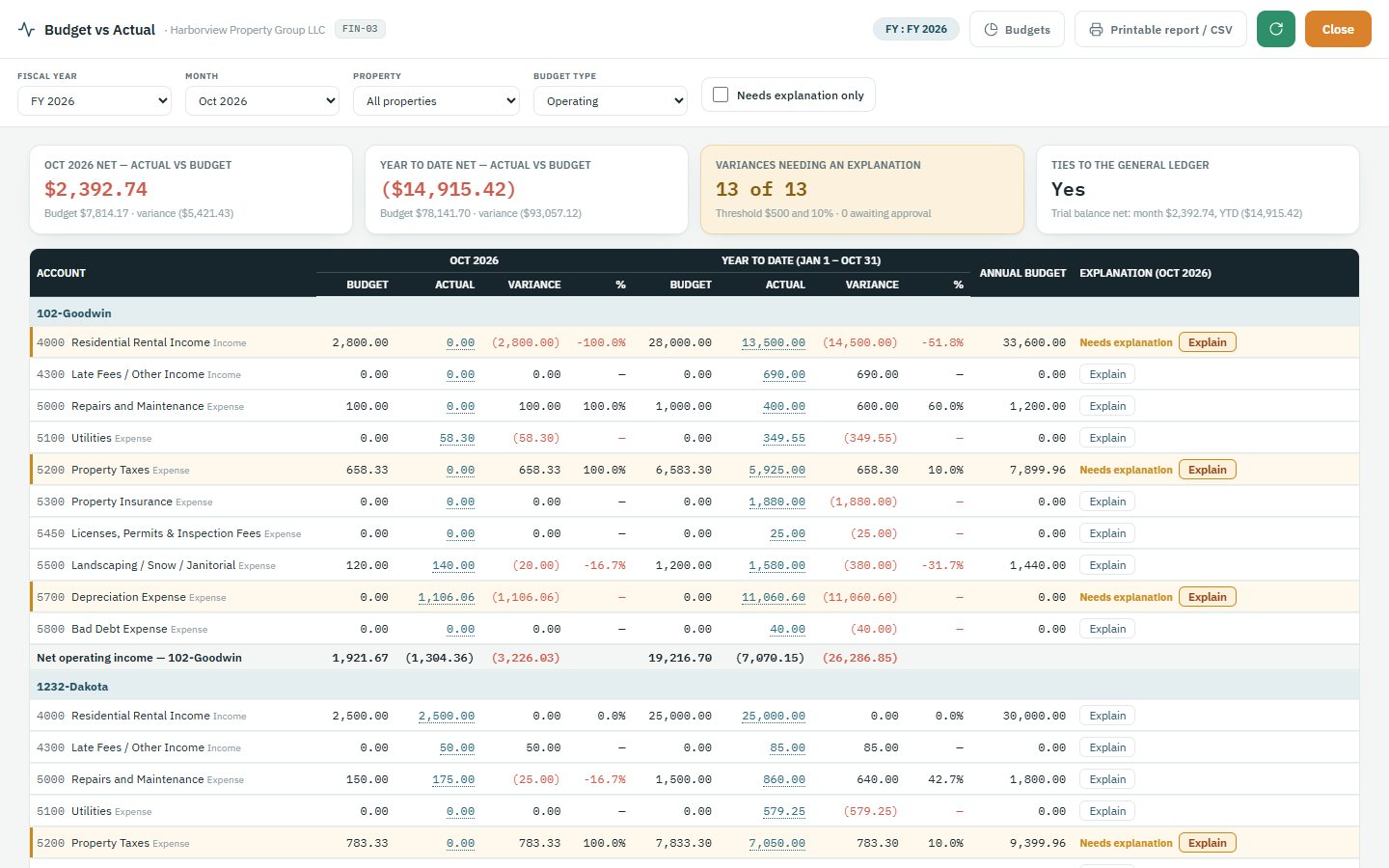
Plan the year, explain the variances
Operating and capital budgets by entity, property and account, month by month, with approval. Budget vs actual flags variances above your amount and percentage thresholds and asks for an explanation, which is itself reviewed and approved.
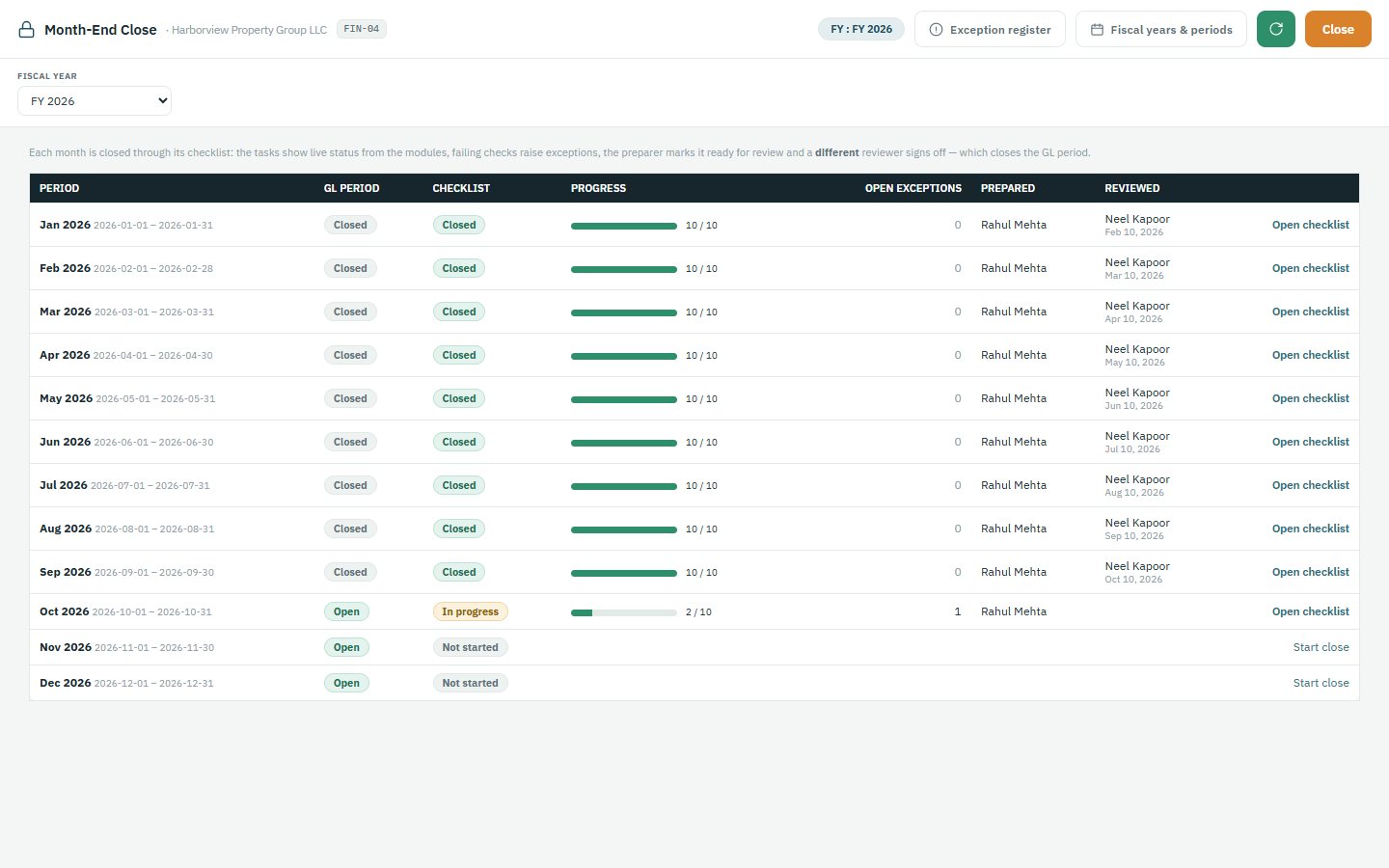
A close checklist that checks itself
Every period gets a checklist — receivables, payables, bank reconciliations, deposits, fixed assets, review, reporting — with due days. Automatic checks show what is still open; the exception register tracks issues to resolution; sign-off locks the period.
- Optional separate reviewer for sign-off
- Closed periods refuse postings; open years never block you
- Exception register with owner, severity and due date
Sales, occupancy and other taxes handled
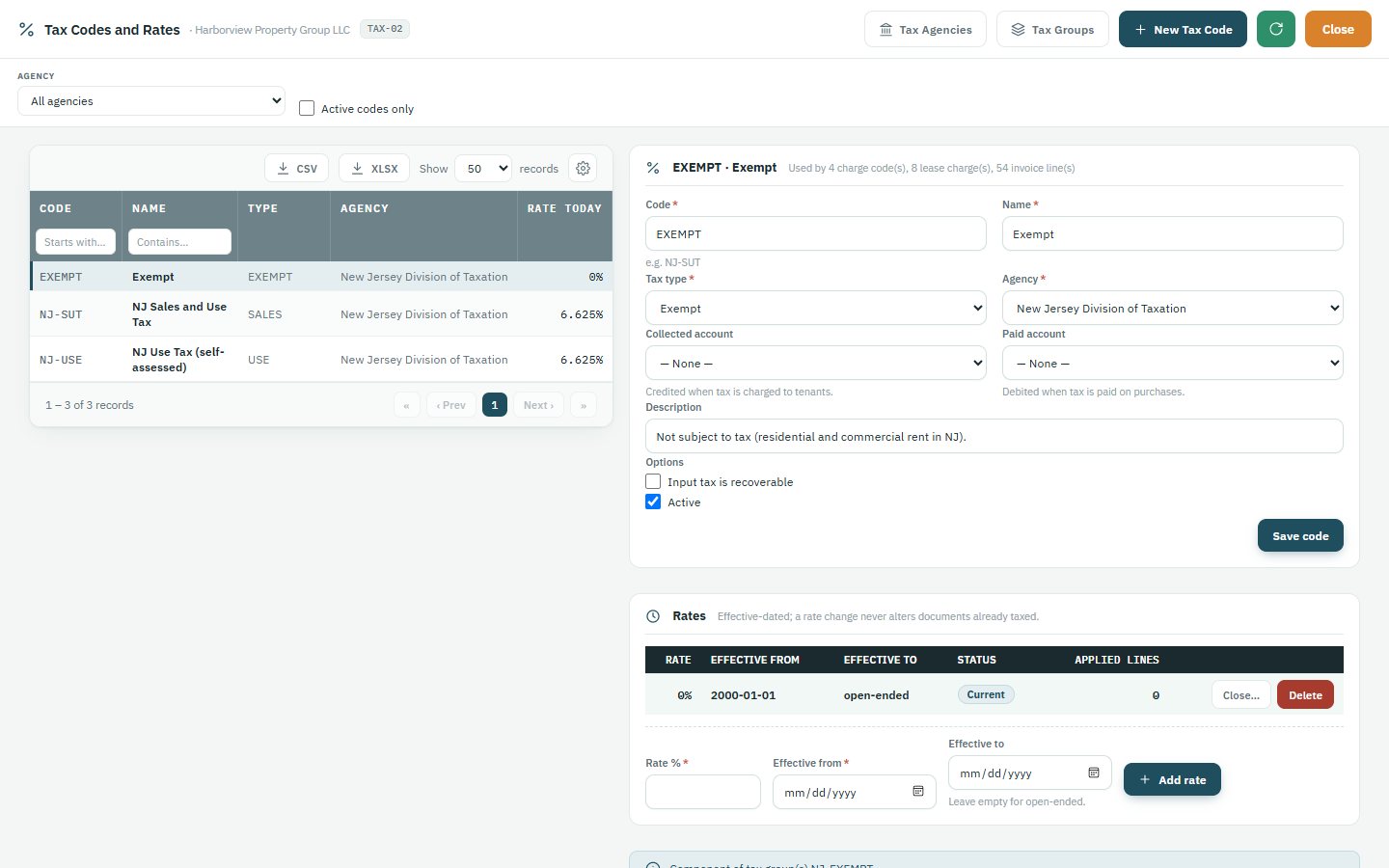
Tax agencies with filing frequency, tax codes with effective-dated rates, and tax groups that combine them. Charge codes carry their tax treatment; invoices calculate tax per line; the tax payable summary and detail report tell you what to file.
33 reports in 11 categories
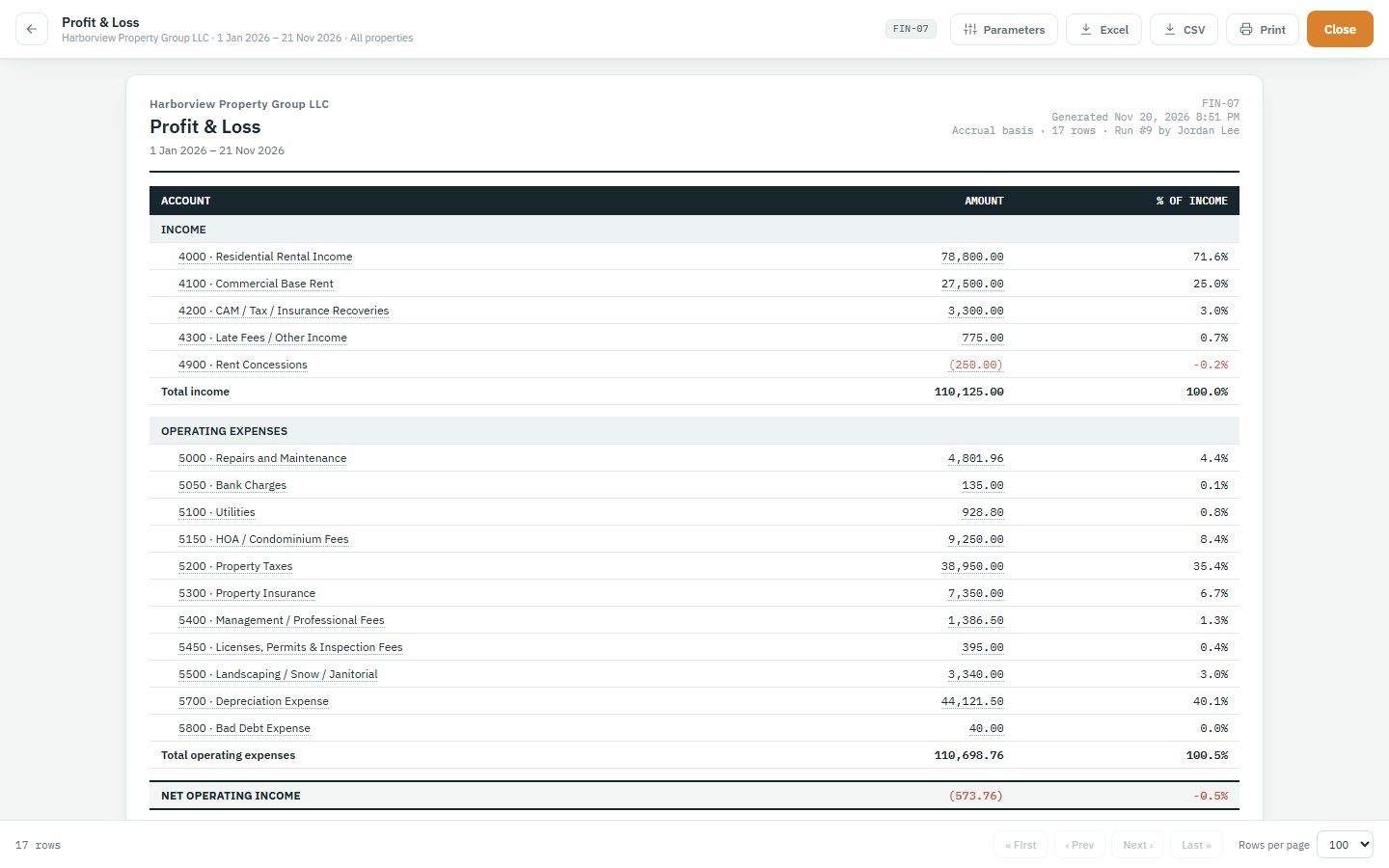
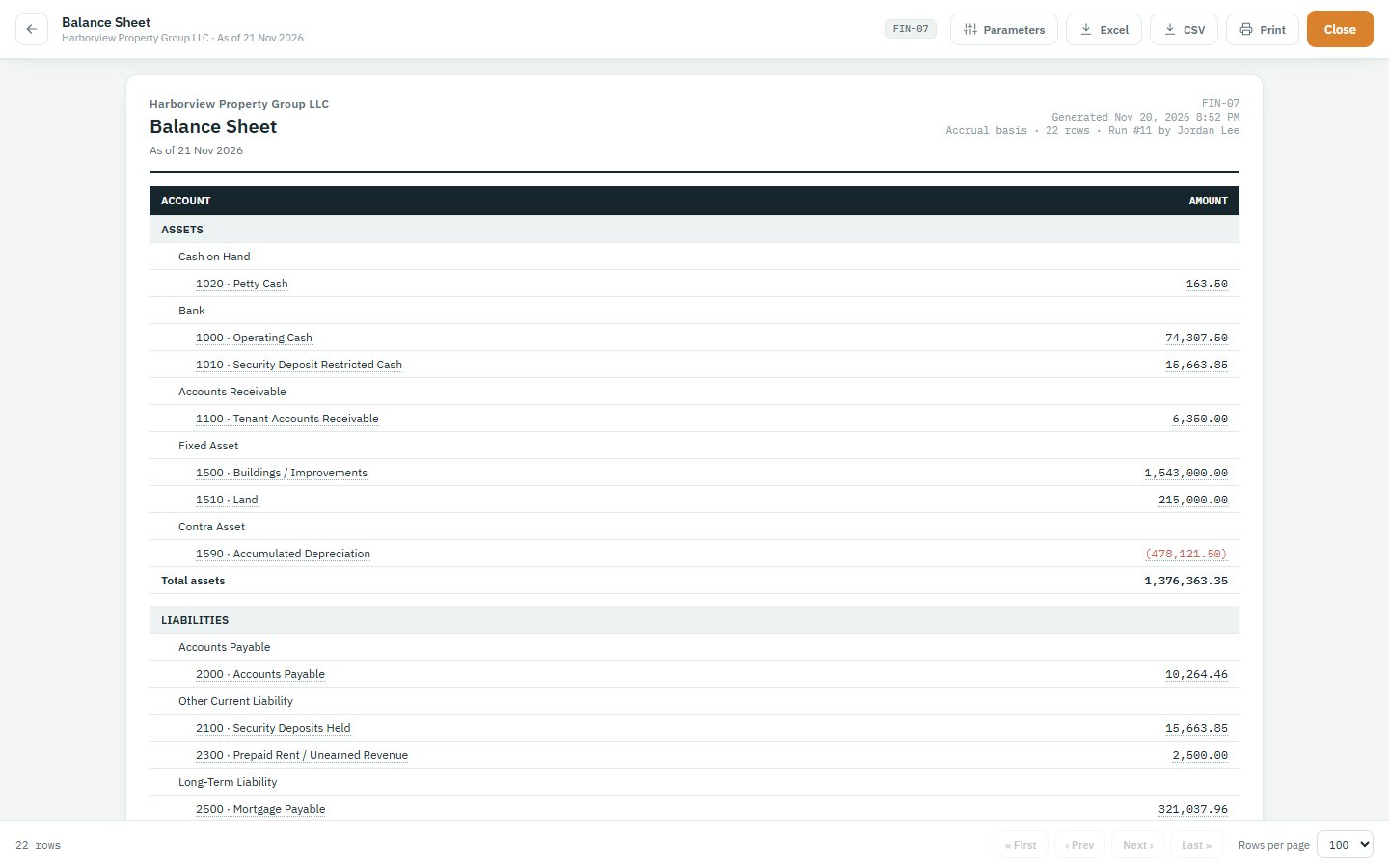
Pick a period — this month, last quarter, fiscal year to date, custom — a property or all, accrual basis, and generate. Every report drills down to transactions and exports to Excel, CSV or print. Every run is logged.
General ledger
- Trial Balance
- Profit & Loss
- Balance Sheet
- Comparative Balance Sheet
- Cash Flow Statement
- General Ledger Detail
- Journal Report
- Consolidated Trial Balance
- Consolidated Balance Sheet
- Consolidated Income Statement
Property & leasing
- Property P&L
- Portfolio Comparison
- Rent Roll
- Vacancy Report
- Lease Expiration Schedule
- Security Deposit Liability
Receivables & payables
- AR Aging (summary & detail)
- Delinquency Report
- Tenant Statement
- AP Aging (summary & detail)
- AP Due-Date Calendar
- Vendor 1099 Summary
Banking & budget
- Operating Cash
- Bank Reconciliation Report
- Budget vs Actual
- CAM Budget vs Actual
Compliance, maintenance, tax & audit
- Compliance Matrix
- Upcoming Compliance Deadlines
- Work Order Summary
- Asset Replacement Forecast
- Tax Payable Summary
- Tax Detail Report
- Audit Trail
Give your accountant a system they will trust
Balanced entries, locked periods, approvals and an audit trail on every change — with reports ready at month end.